
Android gaming has become more convenient than ever. Players no longer need to install every game they want to try. Many websites and browser-based gaming platforms allow users to enjoy entertaining games directly through their mobile browsers. Whether someone enjoys puzzles, racing challenges, strategy games, or sports simulations, there are plenty of options that do not require downloading an application.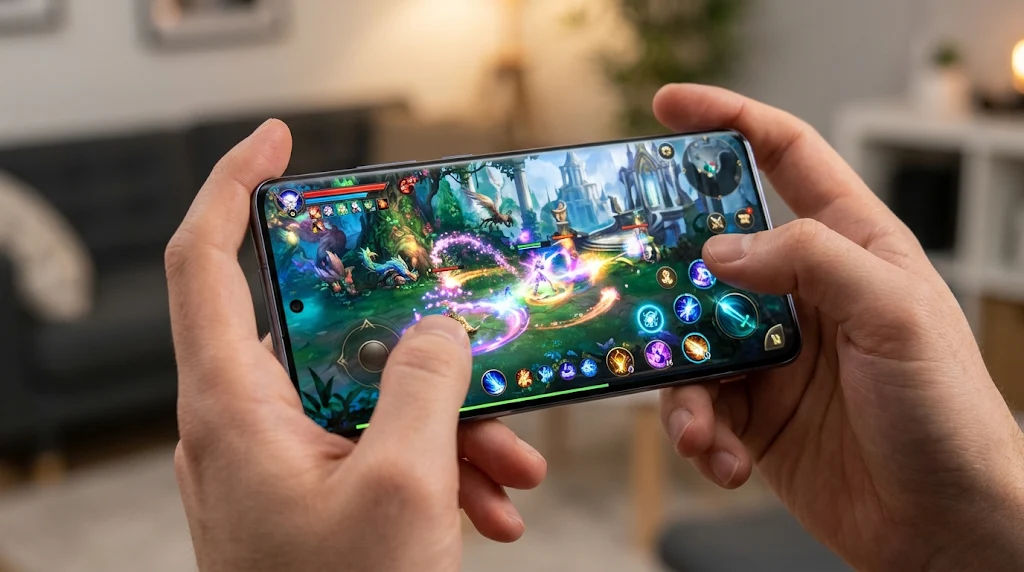
Playing games without downloading them can save storage space, reduce installation time, and make it easier to explore different gaming experiences. It is particularly useful for people who have older smartphones, limited internet data, or devices with restricted storage capacity.
Browser gaming also provides flexibility. Players can open a website, select a suitable game, and start playing within moments. This makes instant-play games an attractive option for people who want entertainment without making long-term commitments to individual applications.
Android Games That Do Not Require Downloads
Android games without downloads are games that operate directly through an internet browser. Instead of installing an application from the Google Play Store, players access the game through a website.
These games commonly use modern web technologies such as HTML5 and JavaScript. These technologies allow websites to display animations, process player actions, and provide interactive experiences.
Most modern Android browsers support these technologies, making browser gaming possible on many smartphones and tablets.
How Browser-Based Games Work
Browser-based OPEN88 operate through a website rather than a separately installed application.
When someone opens a gaming website, the browser loads the necessary game files. Once loading is complete, the player can interact with the game using touchscreen controls.
Some games require a stable internet connection throughout the session. Others allow certain features to continue working after their main content has loaded.
The experience depends on the game's design, the browser being used, and the performance of the device.
Difference Between Downloadable and Instant-Play Games
Downloadable games require users to install an application before playing. They may also require additional downloads for updates, maps, graphics, and other content.
Instant-play games work differently. Players access them through a browser without installing a dedicated gaming application.
|
Feature |
Browser games |
Downloadable games |
|---|---|---|
|
Installation |
Usually unnecessary |
Required |
|
Storage usage |
Generally lower |
Often higher |
|
Internet access |
Usually required |
Depends on the game |
|
Updates |
Often handled online |
Usually managed through an app |
|
Accessibility |
Through a browser |
Through an installed app |
|
Device compatibility |
Depends on browser support |
Depends on app requirements |
Neither option is automatically better. The right choice depends on personal preferences, available storage, internet access, and the type of gaming experience someone wants.
Popular Types of Android Games Available Without Downloads
There are several categories of browser-based games. Understanding these categories can help players find entertainment that matches their interests.
Puzzle Games
Puzzle games are among the most accessible options for Android users. They challenge players to solve problems, recognize patterns, and make thoughtful decisions.
Common examples include:
-
Matching games
-
Number puzzles
-
Word challenges
-
Sliding puzzles
-
Logic-based challenges
-
Memory games
These games are suitable for short gaming sessions because most challenges can be completed within a few minutes.
Puzzle games can also encourage concentration, patience, and problem-solving skills.
Racing Games
Racing games provide an entertaining experience for people who enjoy speed, competition, and quick reactions.
Many browser-based racing games feature simple touchscreen controls. Players may use directional buttons or swipe gestures to move vehicles around tracks.
Popular racing formats include:
-
Car racing challenges
-
Motorcycle racing
-
Traffic navigation games
-
Time-based driving challenges
-
Cartoon racing competitions
Some browser racing games feature basic graphics, while others provide more detailed environments.
Players should check whether a game supports mobile controls before starting because certain titles are designed primarily for desktop computers.
Strategy Games
Strategy games focus on planning, decision-making, and resource management.
Players may need to organize teams, protect virtual locations, complete missions, or solve challenges through careful planning.
Some strategy games are designed for short sessions, while others offer longer experiences involving multiple stages.
Browser-based strategy games can be particularly enjoyable for players who prefer thinking carefully rather than relying entirely on fast reactions.
Sports Games
Sports games allow players to enjoy virtual versions of familiar sporting activities.
Common categories include football, basketball, tennis, cricket-inspired games, and arcade sports challenges.
Many browser-based sports games use straightforward controls. Players may tap the screen to pass, shoot, move, or perform other actions.
These games provide a convenient way to enjoy sports-themed entertainment without installing large applications.
Arcade Games
Arcade games are another popular category for instant-play entertainment.
They often feature straightforward objectives, colorful graphics, and short levels.
Examples include:
-
Classic platform games
-
Space adventures
-
Endless running challenges
-
Brick-breaking games
-
Simple jumping games
-
Reaction-based challenges
Their simple mechanics make them accessible to beginners while still offering enough variety to keep experienced players entertained.
Best Platforms for Playing Android Games Without Downloading
Several websites provide browser-based gaming experiences. Players should choose reputable platforms and check their privacy and safety practices before using them.
Poki
Poki is a browser gaming platform that offers different categories of online games.
Its collection includes puzzles, adventures, racing challenges, sports games, and casual entertainment.
Many games can be opened directly through a mobile browser. This makes the platform convenient for Android users who prefer not to install separate applications.
The website also provides game descriptions that help players understand what each title offers.
CrazyGames
CrazyGames offers a broad collection of browser-based games.
Its categories include action, simulation, racing, puzzle, and multiplayer experiences.
Some titles provide more advanced graphics and gameplay mechanics than traditional browser games.
Mobile compatibility varies between titles, so Android users should check whether a particular game supports touchscreen controls.
Google Doodle Games
Google Doodle games offer simple interactive experiences connected to special celebrations, historical events, and educational themes.
Some games are designed around sports, puzzles, creativity, or general knowledge.
They are particularly suitable for people who prefer short and accessible gaming experiences.
Because many Doodle games are browser-based, users can enjoy them without installing dedicated gaming applications.
itch.io Browser Games
itch.io is a platform where independent developers share creative games and interactive projects.
Some games can be played directly in a browser, while others require downloads.
Players should look specifically for browser-playable titles and check their device compatibility.
The platform offers different creative experiences, including puzzles, adventures, experimental projects, and independent game concepts.
Benefits of Playing Android Games Without Downloading
Browser gaming offers several practical advantages.
Saves Device Storage
One of the biggest benefits is reduced storage usage.
Large Android games can require considerable space for installation and additional content. This can become inconvenient on smartphones with limited internal storage.
Browser games generally avoid the need for a complete application installation.
However, they may still use browser cache and temporary storage while loading.
Provides Quick Entertainment
Instant-play games are useful when someone wants entertainment without going through an installation process.
Players can open a browser, visit a gaming platform, and select a suitable title.
This makes browser games practical during short breaks or periods of free time.
Offers Different Gaming Experiences
Browser gaming provides access to multiple genres from one platform.
Instead of installing separate applications for puzzles, racing, sports, and strategy games, players can explore different titles through a single website.
This makes discovering new games easier.
Reduces Installation Responsibilities
Installed applications may require permissions, updates, and ongoing storage management.
Browser games generally remove some of these responsibilities.
Players should still be careful about websites that request unnecessary permissions, personal information, or additional software installations.
Supports Different Devices
Many browser games work across different devices, including smartphones, tablets, and computers.
This flexibility allows players to access compatible games without depending on one particular application.
However, performance and controls can differ depending on screen size, browser version, and hardware.
How to Play Browser Games on an Android Smartphone
Getting started with browser gaming is generally straightforward.
Step 1: Open a Mobile Browser
Start by opening a trusted browser on your Android smartphone.
Google Chrome is one common option, although other modern browsers may also support browser-based games.
Make sure the browser is updated to a recent version.
Step 2: Visit a Reputable Gaming Platform
Choose a recognizable platform that provides browser-compatible games.
Check the website address carefully before opening it.
Avoid unfamiliar websites that display suspicious advertisements or request unnecessary information.
Step 3: Select a Suitable Game
Browse the available categories and choose a game that matches your interests.
For example, players who enjoy problem-solving can select puzzles, while those who prefer competition may explore racing or sports games.
Read the game's description before starting.
Step 4: Allow the Game to Load
Some browser games load almost immediately, while others require additional time.
Loading speed depends on the internet connection, device performance, and game complexity.
A stable Wi-Fi connection can improve the experience.
Step 5: Learn the Controls
Most mobile-compatible browser games display touchscreen instructions.
Some use arrows, virtual buttons, or swipe gestures.
Take a moment to understand the controls before beginning a challenging level.
Step 6: Enjoy the Game Responsibly
Play for entertainment and take regular breaks.
Avoid sharing private information with gaming websites, and leave any platform that requests suspicious permissions.
Tips for Improving Browser Gaming Performance
Although browser games do not require traditional installations, their performance still depends on several technical factors.
Use an Updated Browser
An updated browser can provide better compatibility, security improvements, and performance.
Older versions may struggle with certain modern game features.
Checking for updates occasionally can help prevent technical problems.
Maintain a Stable Internet Connection
Most browser games need internet access to load their content.
An unstable connection may cause slow loading, interruptions, or temporary freezing.
Using a reliable Wi-Fi connection can make gameplay smoother.
Close Unnecessary Browser Tabs
Opening many browser tabs can consume memory and affect performance.
Closing unused tabs may help games run more smoothly, particularly on older smartphones.
Check Device Compatibility
Not every browser game is designed for Android touchscreen devices.
Some games require a keyboard or mouse.
Before spending time loading a title, check whether it supports mobile devices.
Keep Enough Available Storage
Browser games do not usually need full application installations, but smartphones still need some free storage to operate efficiently.
Keeping the device organized and removing unnecessary temporary files can help maintain general performance.
Are Android Browser Games Safe?
Safety is an important consideration when choosing games online.
Although many browser gaming platforms provide legitimate entertainment, not every website is trustworthy.
Players should pay attention to website security and avoid sharing unnecessary personal details.
Choose Recognizable Websites
Use established platforms with clear information about their services.
Be cautious when visiting unfamiliar websites that promise unusual rewards or make unrealistic claims.
Avoid Suspicious Downloads
A website offering games without downloads should not require an unknown application or file installation to access ordinary browser gameplay.
If a website repeatedly redirects users toward unfamiliar downloads, leaving the website is the safer choice.
Protect Personal Information
Most simple browser games do not need access to sensitive personal information.
Avoid providing private details, passwords, financial information, or unnecessary account information.
Watch Out for Misleading Advertisements
Some websites contain advertisements that resemble download buttons or game controls.
Read the screen carefully before selecting anything.
Avoid advertisements that make unrealistic promises or encourage unsafe activities.
Take Regular Breaks
Responsible gaming also means managing screen time.
Taking breaks helps prevent tiredness and supports a healthier balance between digital entertainment, schoolwork, physical activity, and other daily responsibilities.
Common Problems When Playing Games Without Downloads
Browser gaming is convenient, but occasional technical problems can occur.
Understanding common issues makes them easier to manage.
The Game Does Not Load
A game may fail to load because of a weak internet connection, an outdated browser, or temporary website problems.
Refreshing the page or checking the connection may resolve the issue.
Controls Do Not Work Properly
Some games are designed for computers rather than touchscreen devices.
If the controls are difficult to use, choose another game that specifically supports Android.
Gameplay Becomes Slow
Slow performance can result from limited device memory, multiple open applications, or demanding game graphics.
Closing unnecessary applications and browser tabs may improve performance.
The Website Displays Too Many Advertisements
Some gaming websites rely on advertisements to support their services.
However, excessive pop-ups and suspicious redirects can create an unpleasant experience.
Choose platforms with clearer navigation and more transparent advertising practices.
The Game Stops After Refreshing
Some browser games do not automatically save progress.
Refreshing the page may cause players to lose their current session.
Check whether the game offers a save feature before closing the browser.
How to Choose the Right Android Game Without Downloading
The best browser game depends on individual interests and device capabilities.
A simple selection process can help players find enjoyable experiences.
Consider Your Interests
Start by identifying the type of entertainment you prefer.
Puzzle games suit people who enjoy logical challenges. Racing games appeal to players who like fast-paced activities. Strategy games provide more thoughtful experiences, while sports games offer familiar competitive formats.
Check Mobile Compatibility
A game may look attractive on a desktop website but work poorly on a smartphone.
Look for mobile support and touchscreen controls.
Consider Loading Requirements
Some games contain detailed graphics and require more resources.
If your device has limited memory or processing power, simpler games may provide a smoother experience.
Read Game Descriptions
Game descriptions can explain objectives, controls, difficulty levels, and compatibility.
Reading these details before starting can help avoid unsuitable choices.
Prioritize Safety
A good gaming experience should not require unnecessary personal information or suspicious downloads.
Choose platforms that provide clear policies and straightforward access.
Future of Android Gaming Without Downloads
Browser gaming continues to develop as mobile internet technology and smartphone hardware improve.
Modern web technologies allow developers to create more interactive experiences without requiring traditional application installations.
HTML5, improved browser performance, and cloud-based services have expanded the possibilities for online entertainment.
Better Graphics and Gameplay
Browser games have become more sophisticated over time.
Developers can create detailed environments, animations, and interactive mechanics using modern web technologies.
This makes browser gaming more appealing to people who previously preferred installed applications.
Improved Mobile Compatibility
Developers increasingly consider smartphones and tablets when designing browser games.
Responsive layouts and touchscreen controls make it easier to adapt games to different screen sizes.
More Creative Independent Games
Independent developers continue experimenting with browser-based projects.
These games can introduce unusual concepts, creative storytelling, and innovative gameplay mechanics.
Easier Access to Entertainment
As browser technology improves, accessing online games may become even more convenient.
Players can explore different experiences without maintaining large collections of installed applications.
However, individual games will continue to have different requirements, and a reliable internet connection will remain important for many browser-based experiences.
Conclusion
Android games that do not require downloads provide a convenient way to enjoy digital entertainment without installing additional applications. From puzzles and racing challenges to sports, arcade, and strategy games, browser-based platforms offer a wide selection of experiences for different interests.
Websites such as Poki, CrazyGames, Google Doodle Games, and itch.io provide opportunities to discover browser-playable titles. Their collections make it easier to explore different gaming categories directly through a mobile browser.
The biggest advantages include saving device storage, reducing installation time, and accessing multiple games through familiar websites. These benefits are particularly useful for Android users who have limited storage or prefer simple entertainment.
However, choosing reliable platforms is essential. Players should check mobile compatibility, avoid suspicious downloads, protect personal information, and pay attention to website security.
Ultimately, browser gaming makes entertainment more accessible and flexible. By selecting suitable games, maintaining an updated browser, and following responsible online habits, Android users can enjoy a variety of gaming experiences without downloading dedicated applications.